How ITgrity is replacing broken marketing models with transparent, tech-driven infrastructure across BC and the Fraser Valley.
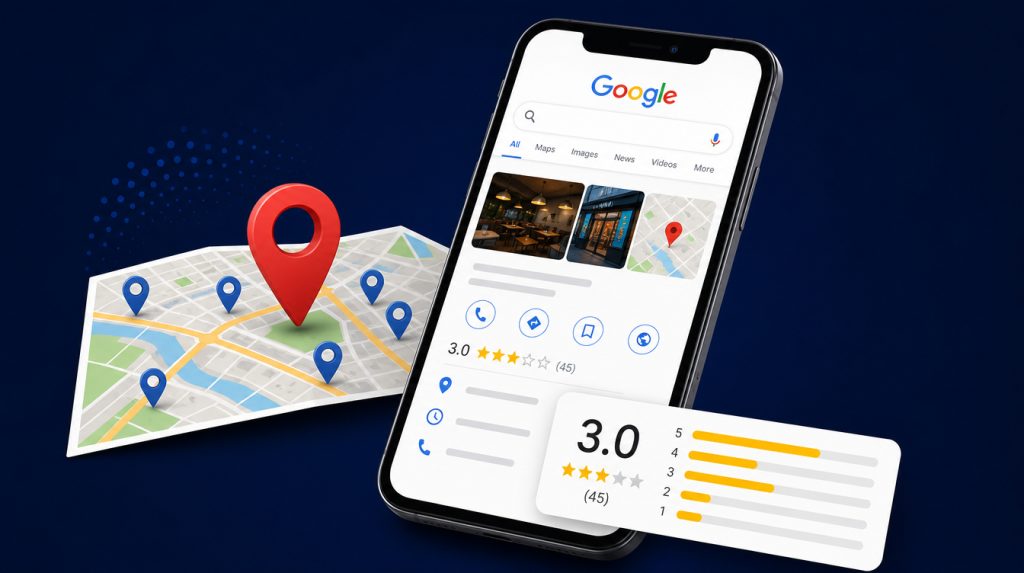
A drop in calls from Google Search and Google Maps can be very frustrating for a local business. Your Google Business Profile may still be live online but you may well be seeing a reduction in the number of people finding your listing, going to your website and calling you. There isn’t necessarily one single reason. Changes to local search visibility, incomplete business data, the strength of your competition, customer reviews and the actual experience the customer has when they come to your business can all have an impact on the number of enquiries.
For service businesses in Vancouver, Burnaby and throughout the Lower Mainland the first thing you need to do is work out where the drop is occurring. Is your profile just simply not appearing as much? Are fewer people seeing it? Are people seeing your profile but going to a different business? Each of those scenarios requires a different approach.
ITgrity’s Rank-IT service is all about helping businesses improve their local search presence through proper local SEO (structured local SEO) and a more consistent journey from discovery to enquiry.
What can cause Google Business Profile calls to go down?
- Changes in local search visibility: Google’s local results are very much query and location dependent. A business that was previously very visible for a particular service may not be at the top of the results for some searches. Google define local results in terms of relevance, distance and prominence. You can’t control all of the factors but you can make your information more complete, accurate and useful.
- Incomplete or outdated business information: Wrong opening times, an out-of-date phone number, a service that’s missing or a website link that’s incorrect can all cause friction for a prospective customer. Make sure your Google Business Profile is regularly checked to ensure the details are accurate and reflect your business as it actually operates. Your business name, address (or service area if applicable), contact details and website should all be consistent with the details that are published on your website and in other reputable business listings.
- Competitors offering more useful profiles: Customers will typically compare a number of local businesses before they make contact. The competition may well have clearer service descriptions, more recent photos, useful updates, better review coverage and/or more comprehensive information. Review the competition to see what opportunities there are to make your own profile more informative. Don’t just copy the competition or stuff your business name with keywords.
- Customer reviews and trust signals: Reviews can have a huge impact on how a potential customer views a local business. Get real customers to leave genuine feedback, respond to reviews appropriately and deal with the issues that keep coming up. Never buy reviews and never offer any kind of incentive in return for a positive review. The whole point is to build up real customer trust, not just to get a higher star rating.
- A disconnect between your profile and website: A Google Business Profile will help people find your business but your website is often the one that provides them with the extra information they need prior to contacting you. Ensure the linked page clearly sets out your services, your service area, your contact options and what the next steps are. It must work perfectly on a mobile device and the phone and enquiry links must work.
How to Diagnose a Drop in Local Calls
- Before you go off and make any major changes, establish what has actually declined. Use the following checks to work out what the problem is.
- Review your Google Business Profile performance: where possible compare the recent calls, website clicks, searches and other profile activity to an earlier period.
- Check your visibility: perform a search for the relevant services using some realistic local search terms. Remember that the results will vary by location and by query so one manual search won’t be definitive as to whether or not there’s been a ranking change.
- Check profile accuracy: Make sure your categories, services, business hours, telephone number, website URL and service area are all correct.
- Review the competition: look for any real differences in the service information, the reviews, the photographs and the usefulness of the profiles.
- Check website enquiries: look at the analytics and lead records to see if people are getting to the site but not getting in contact.
- Verify the tracking: test the telephone links and the enquiry forms. Where possible use analytics events or call tracking to work out which channels are generating the enquiries.
- These checks are to help us differentiate between a visibility issue and a conversion/tracking issue. That distinction is important as changing a website form won’t necessarily fix a problem with profile visibility and altering a profile won’t fix a broken contact form.
Practical Ways to Strengthen Your Google Business Profile
Tip 1: Keep your business information accurate
Select the most appropriate primary business category and add further relevant categories only where they actually do describe your business. Ensure that your services, opening times, telephone number and website URL are all current.
Businesses that are serving customers in person at their own location should adhere to Google’s guidelines for service area businesses. You should not list a residential address as your customer facing location if it doesn’t meet Google’s eligibility criteria.
Tip 2: Add useful, genuine photographs and updates
Use real photos that help the customer to get a feel for your business, your team, your premises and your completed work. Publish relevant updates when you have something of interest to say (e.g. a new service, some useful information, an announcement etc). Don’t just post the same thing over and over again to stuff in keywords. The content should be there to help the potential customer make an informed decision.
Tip 3: Build a consistent review-management process
Ask for honest reviews from your customers as part of your standard service follow up. Deal with both the positive and negative feedback in a professional manner and take any recurring issues seriously. Reviews are an opportunity to show off your customer care. Don’t promise the customer that any particular review strategy will guarantee you a higher ranking.
Tip 4: Build a consistent review-management process
Create clear service pages that explain what you offer, the actual areas you serve and how people can get in touch. Where appropriate, link your Google Business Profile to the most relevant page rather than just sending everyone to a generic home page. Make sure the page loads reliably on mobile, has the correct contact details and makes the next step crystal clear.
Tip 5: Measure results before and after changes
Record a baseline prior to any major changes. Compare like with like and bear in mind seasonality, advertising spend, changes to operating hours and all the other things which can impact on the number of enquiries. Track profile interactions in conjunction with actual leads where you can. A click or a profile view is not in itself a qualified enquiry and call tracking systems need to be tested to ensure they’re actually capturing the activity.
How ITgrity’s Rank-IT Service Fits In
Improving local search performance is not simply about tweaking a few fields in a business listing. It’s about reviewing the accuracy of the profile, the relevance of the site, the consistency of the business information and the customer journey from discovery to contact. Rank-IT from ITgrity is a service designed to assist with local SEO and help businesses develop a more cohesive local search presence. The right work to be done will obviously vary from business to business depending on the business, its current level of visibility, its competitors and the data available from its own performance.
If your business in the Vancouver area is seeing a drop in calls and enquiries then a structured review can help you work out which areas need your attention first. Want to boost your local search presence? Take a look at ITgrity’s [Rank-IT service] or get in touch with ITgrity to discuss your business requirements.
Frequently Asked Questions
Possible reasons could be poor visibility for the relevant searches, changes in the local competition, out of date profile information, shifting customer demand or issues with the contact and call tracking. Look at the performance data before you go any further and decide which of those is most likely.
No. Visibility will help a business to be found by potential customers but calls are also dependent on search intent, competition, customer trust, the nature of the service and how easy it is to get in touch with the business. No SEO company can guarantee a specific position or a specific number of calls.
Have a look at the performance data in your profile (including the relevant searches and customer interactions). Compare the relevant time periods to see whether website visits, telephone enquiries and actual leads all follow the same trend.
First check the accuracy of your information and review available performance data. Make changes based on evidence rather than repeatedly changing categories, business details, or other settings without a clear reason.
Rank-IT is ITgrity’s service for supporting local search visibility. A suitable engagement may involve reviewing the business profile, website, local SEO signals, and enquiry journey to identify relevant improvement opportunities. The specific recommendations should depend on the business’s needs and available evidence.